
Maenda Media
Autonomous AI Agent

OpenClaw on Your Own VPS

Your own AI assistant that executes tasks, browses the web and is reachable via WhatsApp, Telegram or Slack. Always on, always private.
13+ messaging platforms
Autonomous task execution
Runs on your server — your data
100+ built-in AgentSkills
root@vps-nl-01 — openclaw onboard
root@vps-nl-01:~# openclaw onboard
Starting OpenClaw onboarding...
___ ____ _
/ _ \\ _ __ ___ _ __ / ___| | __ ___ __
| | | | '_ \\ / _ \\ '_ | | | |/ _` \\ \\ /\\ / /
| |_| | |_) | __/ | | | |___| | (_| |\\ V V /
\\___/| .__/ \\___|_| |_|\\____|_|\\__,_| \\_/\\_/
Node.js 22.x detected
Go 1.23 detected
Memory: 4096 MB (recommended)
? Select AI provider > Claude (Anthropic)
root@vps-nl-01:~#
N
Go
U
191K+
GitHub Stars
13+
Messaging Platforms
100+
Agent Skills
5 min
Setup
What is OpenClaw?

Your Own Autonomous AI Assistant

OpenClaw is an open-source AI agent that runs on your own server. Unlike a regular chatbot, OpenClaw has 'eyes and hands' — it can visit websites, read and write files, execute shell commands and automate tasks. You communicate via the messaging platforms you already use: WhatsApp, Telegram, Slack, Discord and more.
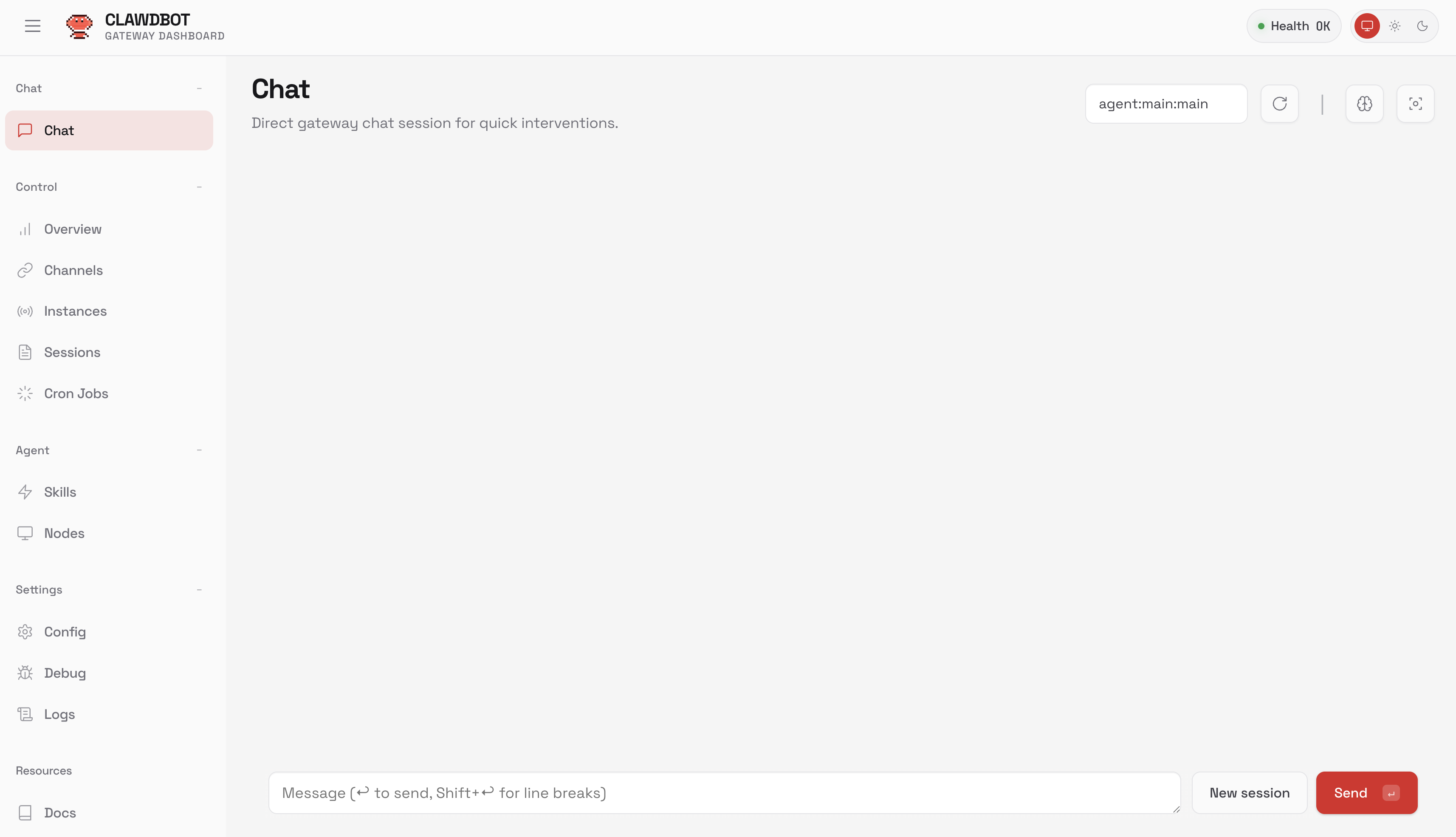
191,000+ GitHub stars
13+ messaging platforms
Autonomous task execution
100% privacy — runs locally
open-claw.org
OpenClaw Control UI — web dashboard for your AI assistant
Capabilities

More than a chatbot

An AI agent with real actions

Autonomous AI Agent

Executes complex tasks without manual intervention. Plans, executes, and reports independently.

Web Browsing

Visits websites, reads content, fills in forms and navigates the web like a real user.

Shell Commands

Executes commands on your server. Manage files, install software, and automate system tasks.

Multi-Channel

Reachable via WhatsApp, Telegram, Slack, Discord, Signal, Google Chat, Teams and more.

File Management

Reads, writes and edits files. Stores memories as Markdown on your own server.

Privacy First

Runs entirely on your hardware. Memory stored as local files. Supports local AI models via Ollama.

OpenClaw in action
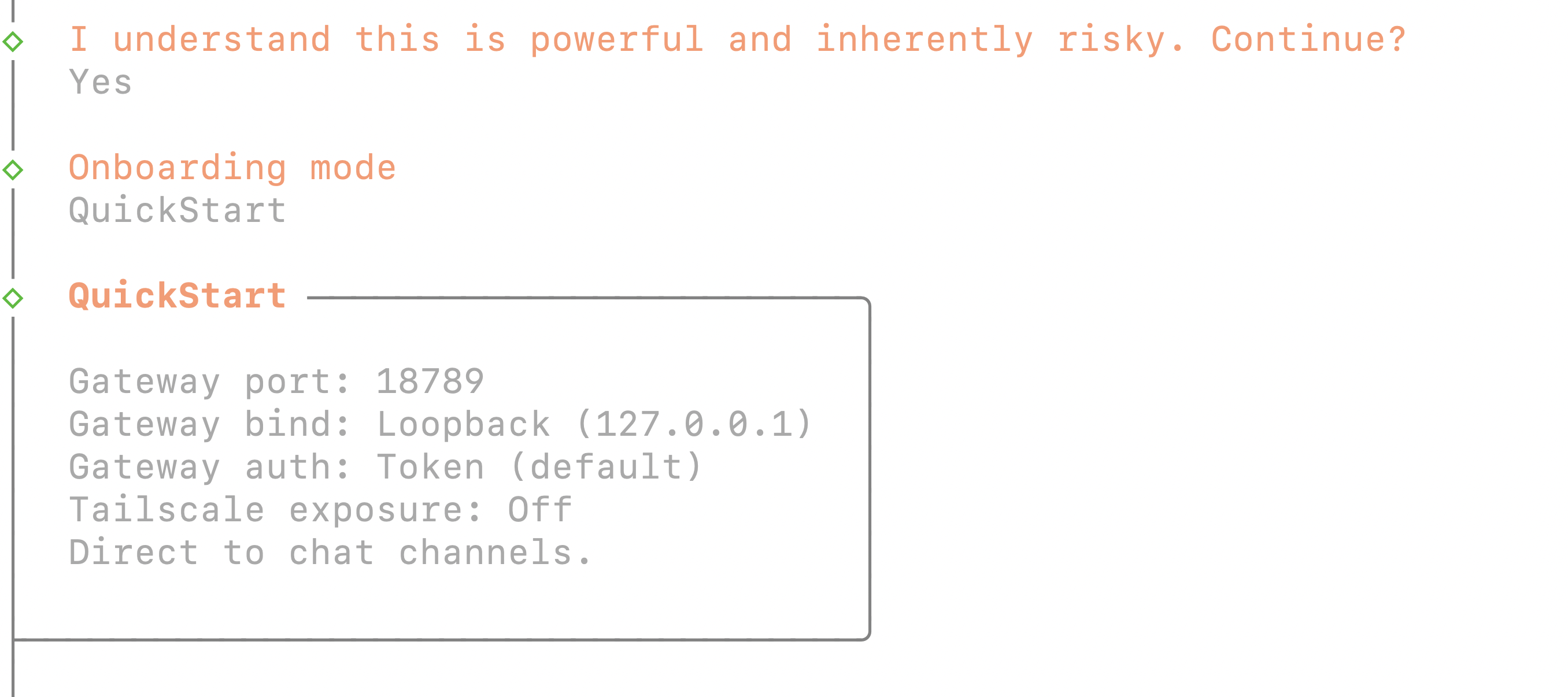
OpenClaw onboarding wizard in the terminal
OpenClaw onboarding wizard in the terminal

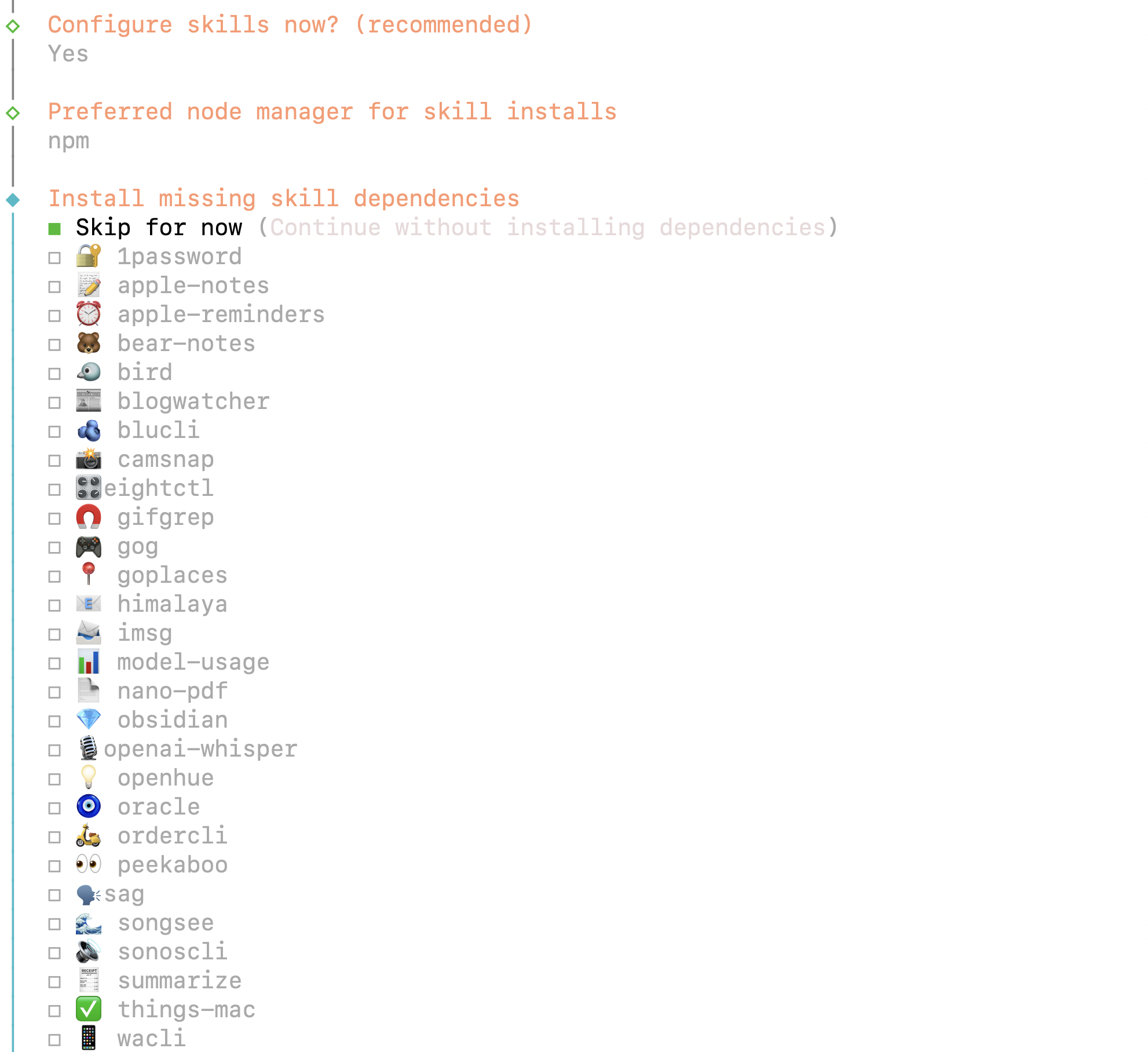
AgentSkills configuration in OpenClaw

AgentSkills configuration in OpenClaw

OpenClaw Terminal UI (TUI) in action

OpenClaw Terminal UI (TUI) in action

Messaging Platforms

Reachable via your favorite app

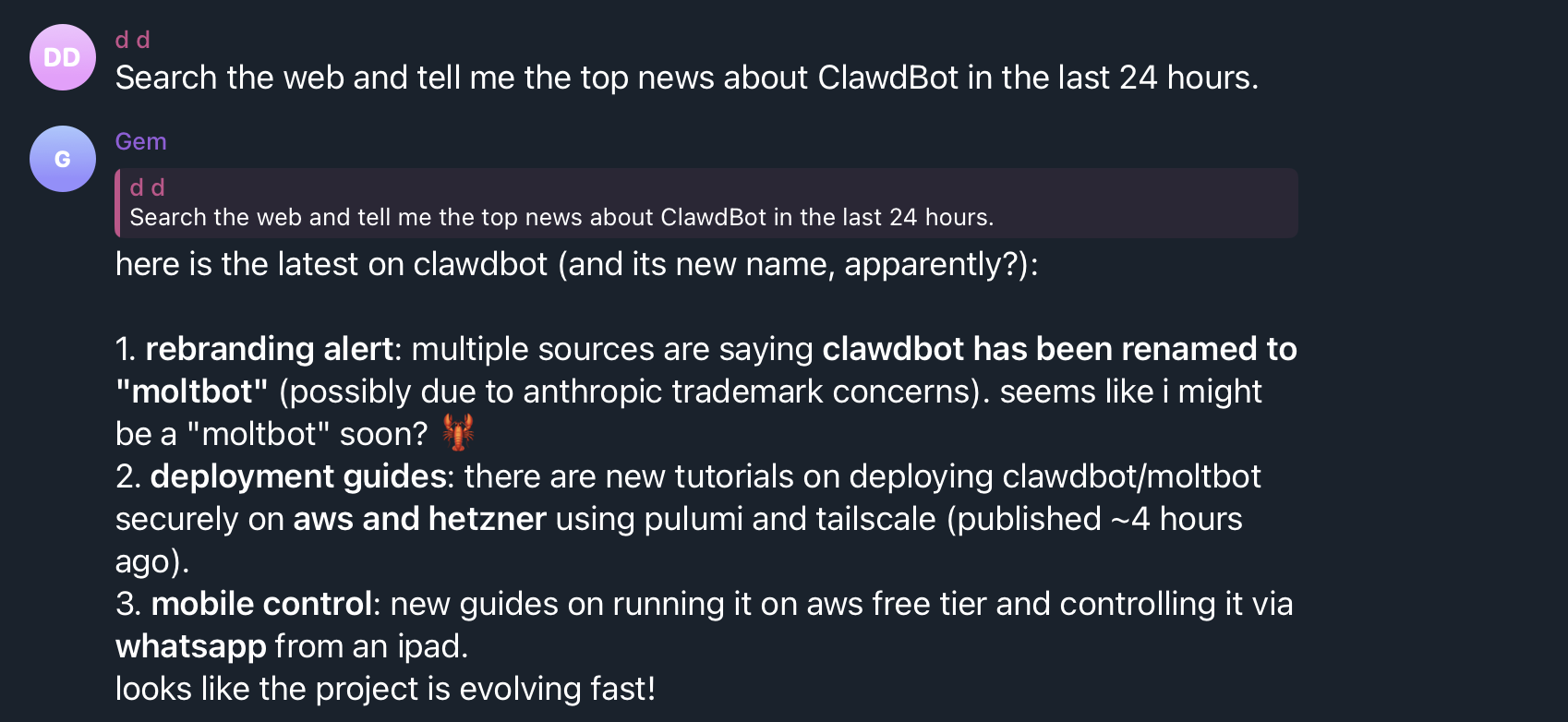
OpenClaw connects with 13+ messaging platforms. Chat with your AI assistant via Telegram, WhatsApp, Discord, Slack and more — as if you're talking to a colleague.
TelegramWhatsAppDiscordSlackSignaliMessage
OpenClaw chat via Telegram with search results
What's included?

Maenda 1-Click Installation

Everything automatically configured — after installation you only need to run openclaw onboard

Ubuntu 24.04Node.js 22Go 1.23UFWfail2ban

Node.js 22

Latest LTS version via NodeSource — required by OpenClaw

Go 1.23

Official Go runtime for OpenClaw's browser automation tools

UFW Firewall

Default deny-all firewall — only SSH (port 22) is open

Log Rotation

Automatic log rotation prevents your disk from filling up

Fail2ban

Brute-force protection — automatically blocks suspicious IPs

OpenClaw (latest)

Globally installed via npm — ready for onboarding straight away

Getting started

Operational in 5 steps

From order to your own AI assistant

1

Order VPS

Choose a VPS package and select OpenClaw as a 1-click app.

2

Automatic Installation

Node.js, Go and OpenClaw are automatically installed with full security.

3

Connect via SSH

Log in to your VPS via SSH. You will see the welcome banner with instructions right away.

4

Start Onboarding

Run 'openclaw onboard' to set up your AI model, memory and preferences.

5

Connect Messaging

Connect WhatsApp, Telegram or another platform and start talking to your AI assistant.

Recommended VPS

Choose the right package

Depending on how you want to use OpenClaw

Basic

Chat via messaging, simple tasks

CPU1 vCPU
RAM2 GB
Storage25 GB NVMe
Recommended

Browser Automation

Web scraping, forms, research

CPU2 vCPU
RAM4 GB
Storage50 GB NVMe

Full Power

Everything + local AI models via Ollama

CPU4 vCPU
RAM8 GB
Storage100 GB NVMe
Who is it for?

OpenClaw is ideal for

An always-on AI assistant for every situation

Developers

An always-on AI assistant reachable via your phone. Have tasks executed, code reviewed and servers managed.

Small Teams

A shared AI agent for internal automation, planning and communication.

Privacy-Conscious Users

AI capabilities without sending data to third parties. Runs 100% on your server.

Automation Enthusiasts

Proactive monitoring, reminders, web scraping and automated reports.

Frequently Asked Questions

FAQ about OpenClaw Hosting

What is OpenClaw?
OpenClaw is an open-source autonomous AI agent with 191,000+ GitHub stars. It is more than a chatbot — it can visit websites, manage files, execute shell commands and proactively carry out tasks. You communicate via WhatsApp, Telegram, Slack or other messaging platforms.
Which messaging platforms does it work with?
OpenClaw supports 13+ platforms: WhatsApp, Telegram, Slack, Discord, Signal, Google Chat, Microsoft Teams, Matrix, iMessage (via BlueBubbles), Zalo, and WebChat. You can use multiple platforms simultaneously.
How many resources does OpenClaw need?
For basic chat functions, 2 GB RAM and 1 vCPU is sufficient. For browser automation (web scraping, filling in forms), we recommend 4 GB RAM and 2 vCPU. Want to run local AI models via Ollama as well? Choose 8 GB RAM or more.
What about security?
The installation automatically configures UFW firewall (only SSH open), fail2ban (brute-force protection), SSH key-only authentication (passwords disabled), and automatic security updates. Root login is disabled by default.
How do I update OpenClaw?
Run 'npm update -g openclaw' via SSH. OpenClaw is globally installed via npm, so updates are straightforward.
Can I get help with setup?
After the automatic installation, run 'openclaw onboard' — an interactive wizard that guides you through all settings. Additionally, you can always contact our support team for help.

Ready for your own AI assistant?

Start today with OpenClaw on your own VPS. Installed in 5 minutes, privacy guaranteed.

Min. requirements:

2 GB RAM1 vCPU25 GB NVMe